> ## Documentation Index
> Fetch the complete documentation index at: https://docs.love.rip/llms.txt
> Use this file to discover all available pages before exploring further.
# Custom badges
> Make your own badge with a name and icon.
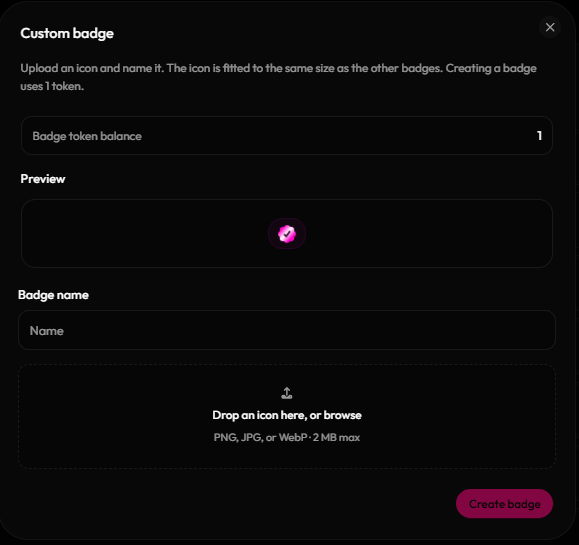
Design a badge that's all yours. Each custom badge uses 1 badge token.
**Where to find it:** Badges → **Your badges** tab → **Custom badge**, or [love.rip/dashboard/profile/badges](https://www.love.rip/dashboard/profile/badges).
Buy one at [love.rip/pricing/badge](https://www.love.rip/pricing/badge) (\$3.99 each), or earn one from [Invites](/grow/invites). You can also use **Buy badge tokens** on the Badges page.
Click **Custom badge**, give it a name (up to 24 characters) and upload an icon (PNG, JPG or WebP, up to 2MB).
It appears in Your badges, where you can reorder and style it like any other badge.
 Badge tokens can also be gifted to a friend or bought for a giveaway. See [The store](/premium/store).
This documentation is built and hosted on [Mintlify](https://mintlify.com), a developer documentation platform.
Badge tokens can also be gifted to a friend or bought for a giveaway. See [The store](/premium/store).
This documentation is built and hosted on [Mintlify](https://mintlify.com), a developer documentation platform.