> ## Documentation Index
> Fetch the complete documentation index at: https://docs.love.rip/llms.txt
> Use this file to discover all available pages before exploring further.
# Dashboard tour
> Find your way around the love.rip dashboard.
## Overview
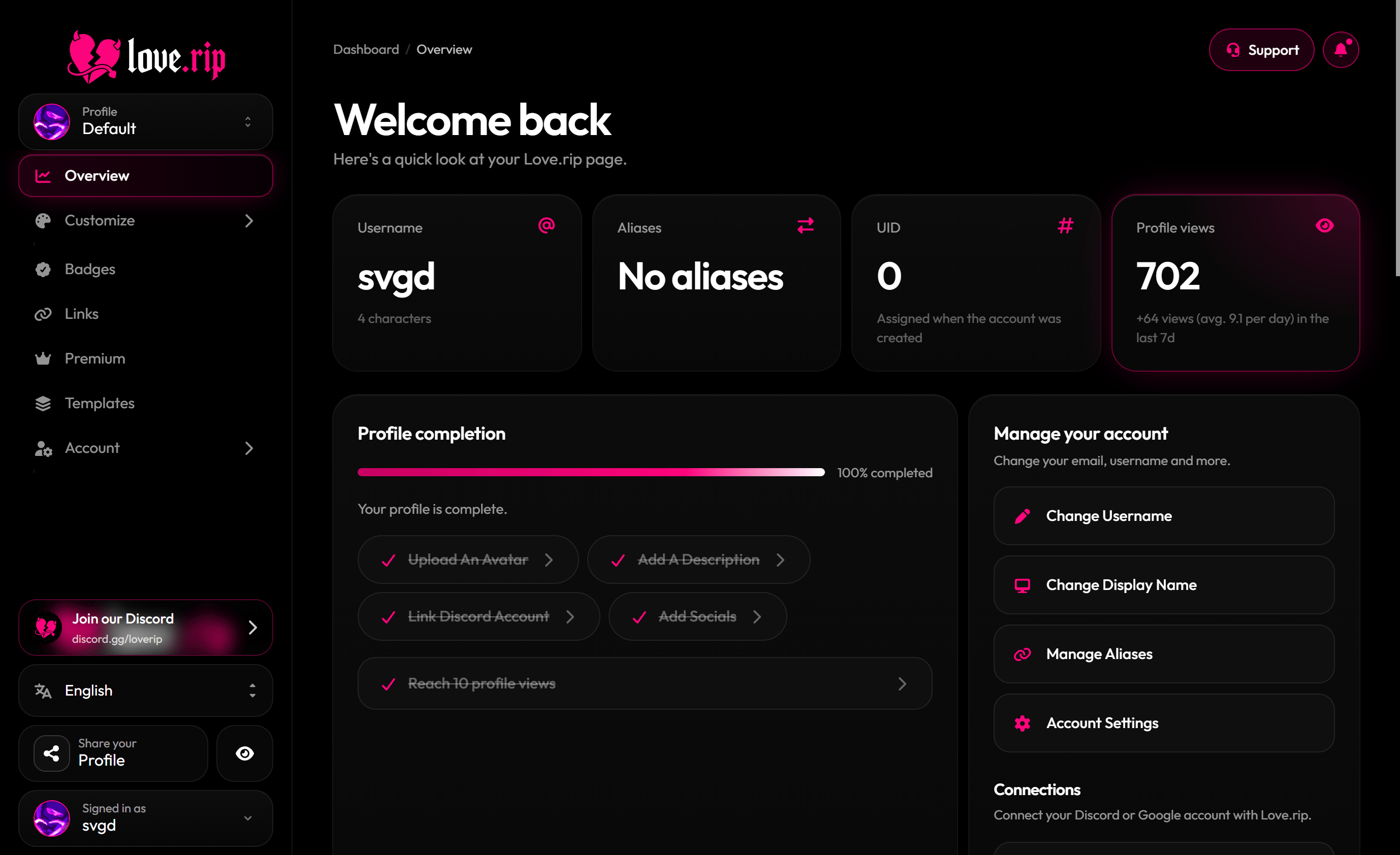
Your home base. It shows your username, aliases, UID, total profile views (with your views from the last 7 days), a profile completion checklist and a views chart.
**Where to find it:** Sidebar → **Overview**, or [love.rip/dashboard](https://www.love.rip/dashboard).
 ## The sidebar
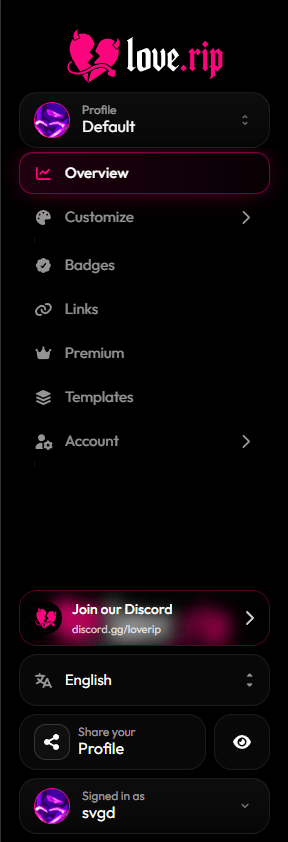
Everything lives in the sidebar on the left:
| Section | What's inside |
| - | - |
| **Overview** | Stats and your setup checklist |
| **Customize** | Appearance, Enter Screen, Couples, Widgets, Section Builder, Metadata |
| **Badges** | Your badges and badges you can get |
| **Links** | Your social links |
| **Premium** | Opens the Premium upgrade |
| **Templates** | Save and reuse whole profile looks |
| **Account** | Settings, Invite, Affiliate |
At the bottom you'll find **Join our Discord**, the language menu, **Share your Profile**, the **Live preview** button and your profile switcher.
## The sidebar
Everything lives in the sidebar on the left:
| Section | What's inside |
| - | - |
| **Overview** | Stats and your setup checklist |
| **Customize** | Appearance, Enter Screen, Couples, Widgets, Section Builder, Metadata |
| **Badges** | Your badges and badges you can get |
| **Links** | Your social links |
| **Premium** | Opens the Premium upgrade |
| **Templates** | Save and reuse whole profile looks |
| **Account** | Settings, Invite, Affiliate |
At the bottom you'll find **Join our Discord**, the language menu, **Share your Profile**, the **Live preview** button and your profile switcher.
 ## Live preview
See your changes on your page before you save. Most editors show an unsaved bar at the bottom: hit **Save** to publish or **Reset** to undo.
**Where to find it:** the **Live preview** button at the bottom of the sidebar.
## Live preview
See your changes on your page before you save. Most editors show an unsaved bar at the bottom: hit **Save** to publish or **Reset** to undo.
**Where to find it:** the **Live preview** button at the bottom of the sidebar.
.png?fit=max&auto=format&n=lWOttRo6BGNcvgSp&q=85&s=8691242358bcb018ebc362e3eca930d6 "Www Love Rip Dashboard (2)") ## Change the language
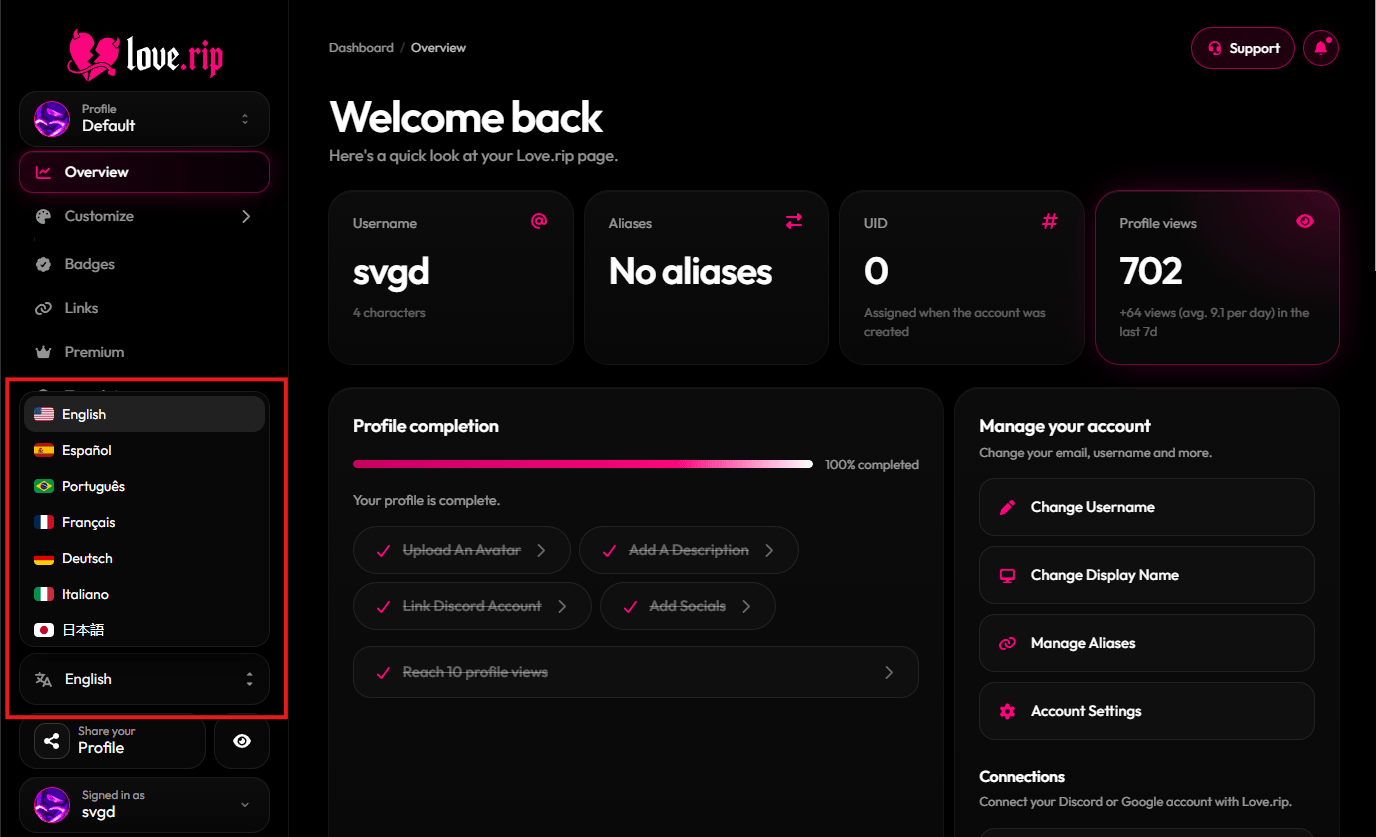
The dashboard comes in English, Español, Português, Français, Deutsch, Italiano, 日本語, 한국어, 中文, العربية, Русский, Türkçe and हिन्दी.
**Where to find it:** the language menu at the bottom of the sidebar.
## Change the language
The dashboard comes in English, Español, Português, Français, Deutsch, Italiano, 日本語, 한국어, 中文, العربية, Русский, Türkçe and हिन्दी.
**Where to find it:** the language menu at the bottom of the sidebar.
 This documentation is built and hosted on [Mintlify](https://mintlify.com), a developer documentation platform.