> ## Documentation Index
> Fetch the complete documentation index at: https://docs.love.rip/llms.txt
> Use this file to discover all available pages before exploring further.
# Profile details
> Your name, bio, location and what visitors can see on your page.
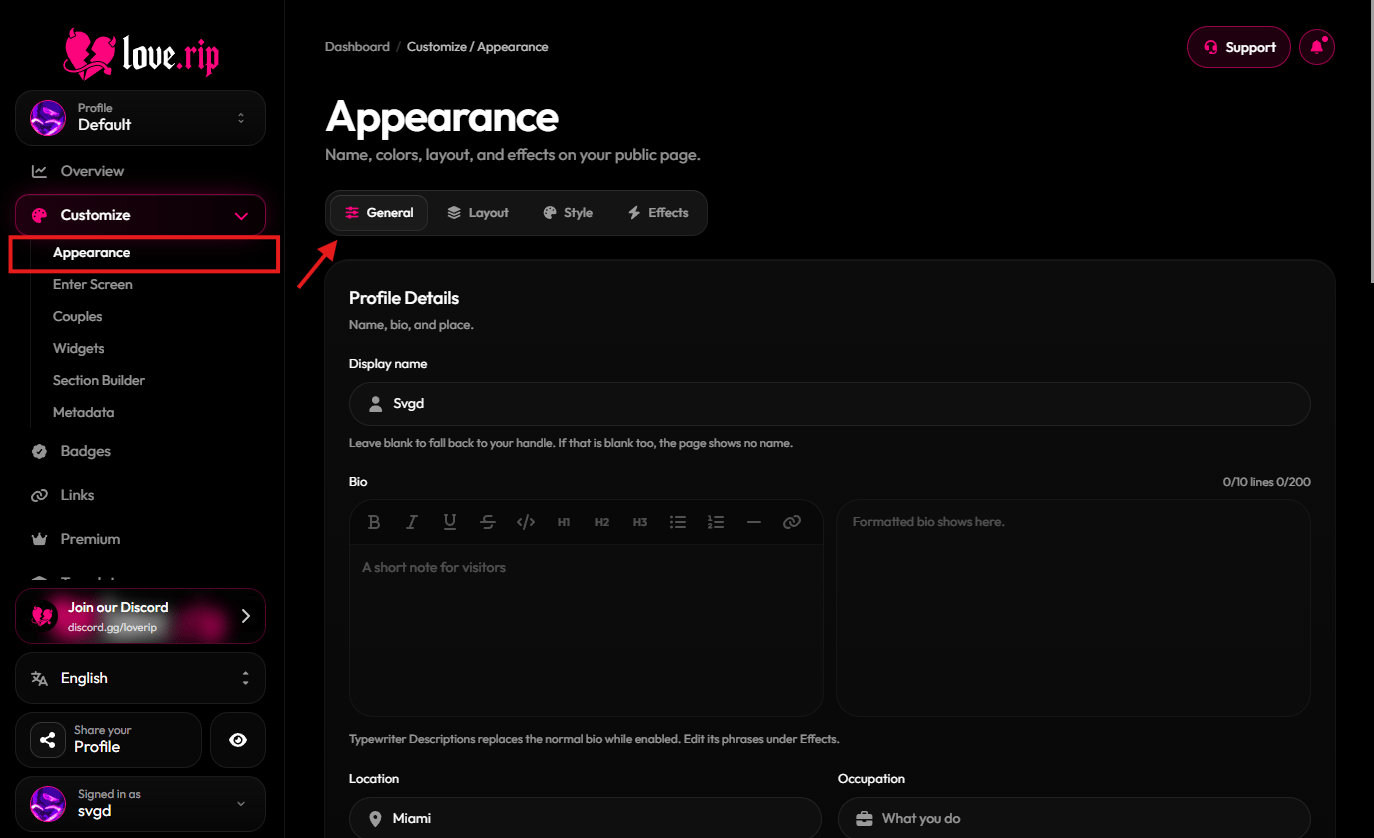
All of this lives on the **General** tab of Appearance.
**Where to find it:** Customize → Appearance → **General** tab, or [love.rip/dashboard/customize](https://www.love.rip/dashboard/customize).
 ## Display name, bio, location and occupation
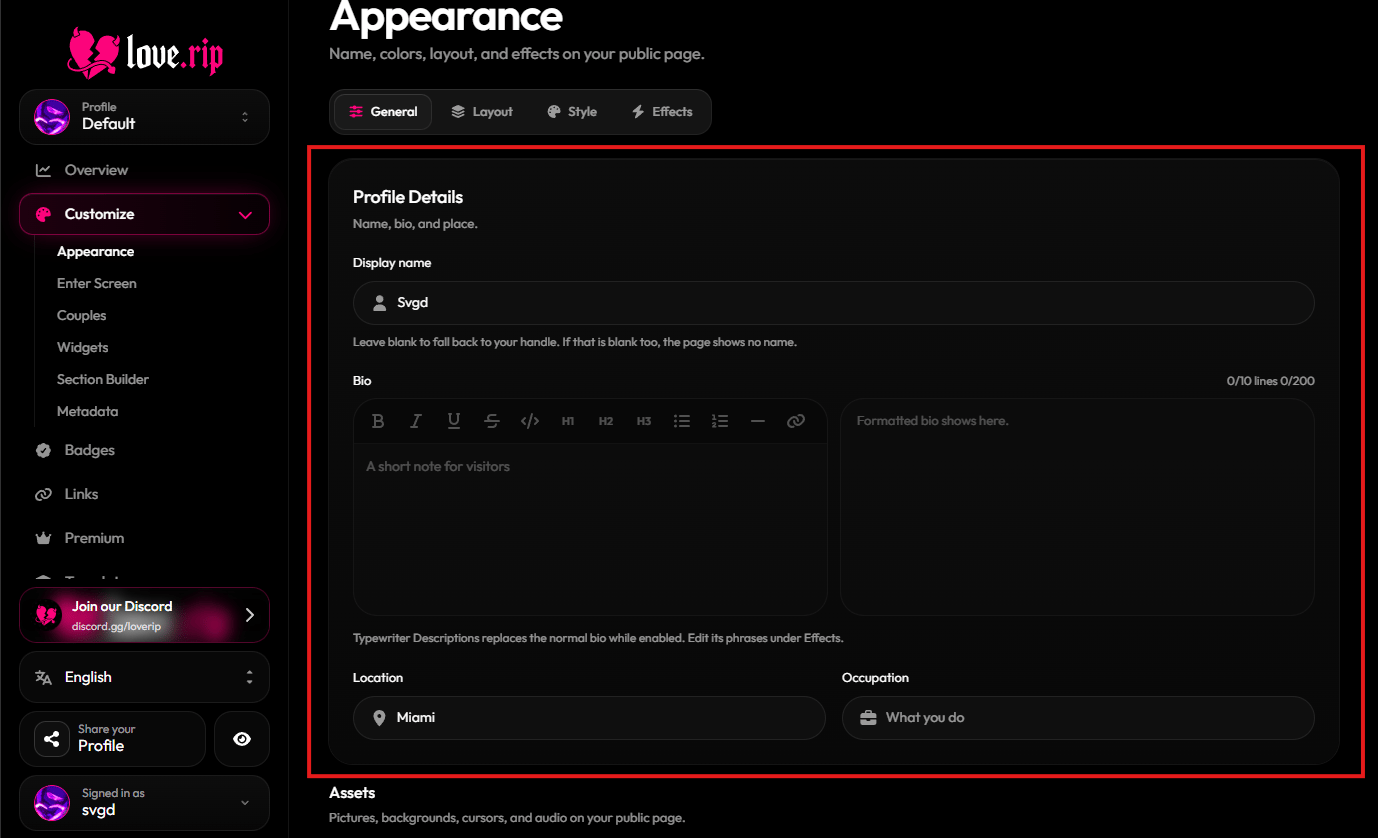
Set the name shown on your page, write a short bio, and add where you are and what you do. Your bio can be up to 200 characters and 10 lines. Occupation can be up to 80 characters.
**Where to find it:** General tab → **Profile Details**.
## Display name, bio, location and occupation
Set the name shown on your page, write a short bio, and add where you are and what you do. Your bio can be up to 200 characters and 10 lines. Occupation can be up to 80 characters.
**Where to find it:** General tab → **Profile Details**.
 ## Joined date
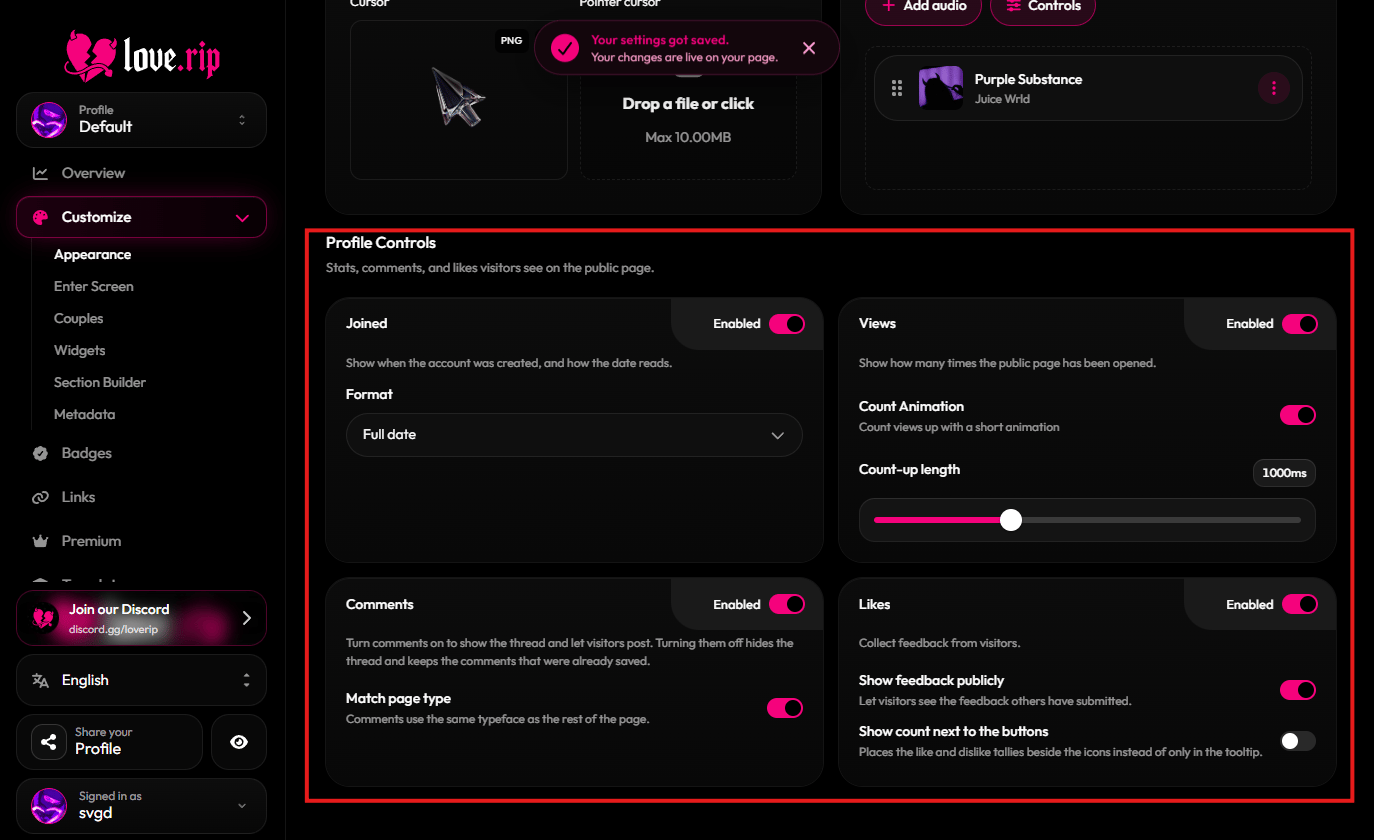
Show when your account was created. Pick how it reads: **Full date**, **Time since** or **Year only**.
**Where to find it:** General tab → **Profile Controls** → **Joined**.
## View counter
Show your view count on your page. Turn on **Count-up** to make the number roll up with a short animation, and set how long it runs.
**Where to find it:** General tab → **Profile Controls** → **Views**.
## Comments
Let visitors leave comments on your page. Turning comments off hides the thread but keeps the comments already saved. Turn on **Match page type** to make comments use your page's font.
**Where to find it:** General tab → **Profile Controls** → **Comments**.
## Likes and dislikes
Visitors can like or dislike your page. Choose **Show feedback publicly**, and **Show count next to the buttons** to put the numbers beside the icons instead of only in the tooltip.
**Where to find it:** General tab → **Profile Controls** → **Likes**.
## Joined date
Show when your account was created. Pick how it reads: **Full date**, **Time since** or **Year only**.
**Where to find it:** General tab → **Profile Controls** → **Joined**.
## View counter
Show your view count on your page. Turn on **Count-up** to make the number roll up with a short animation, and set how long it runs.
**Where to find it:** General tab → **Profile Controls** → **Views**.
## Comments
Let visitors leave comments on your page. Turning comments off hides the thread but keeps the comments already saved. Turn on **Match page type** to make comments use your page's font.
**Where to find it:** General tab → **Profile Controls** → **Comments**.
## Likes and dislikes
Visitors can like or dislike your page. Choose **Show feedback publicly**, and **Show count next to the buttons** to put the numbers beside the icons instead of only in the tooltip.
**Where to find it:** General tab → **Profile Controls** → **Likes**.
 This documentation is built and hosted on [Mintlify](https://mintlify.com), a developer documentation platform.