> ## Documentation Index
> Fetch the complete documentation index at: https://docs.love.rip/llms.txt
> Use this file to discover all available pages before exploring further.
# Colors, fonts and the profile box
> Set your colors, pick a font and style the card your profile sits on.
All of these are on the **Style** tab of Appearance.
**Where to find it:** Customize → Appearance → **Style** tab, or [love.rip/dashboard/customize?tab=style](https://www.love.rip/dashboard/customize?tab=style).
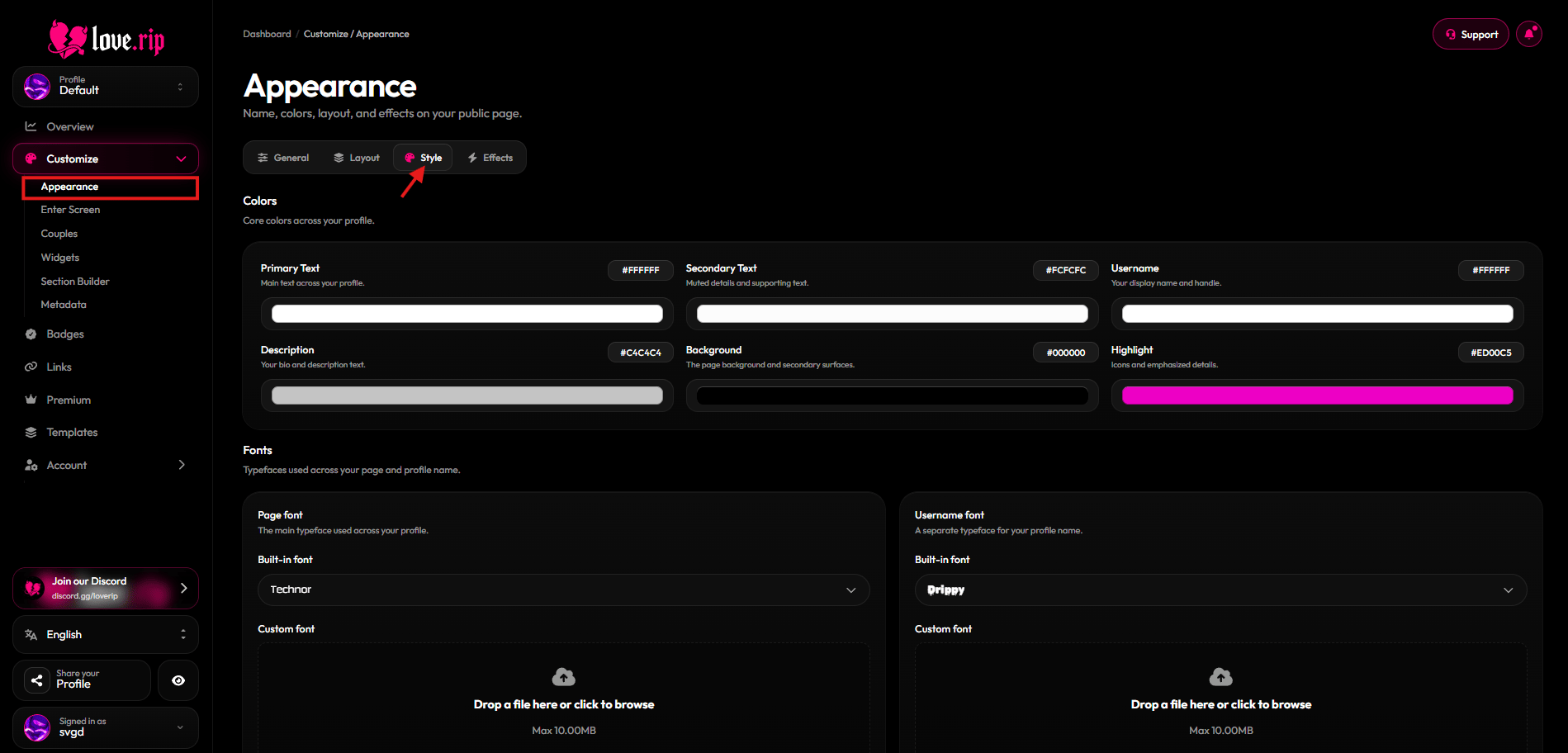 ## Colors
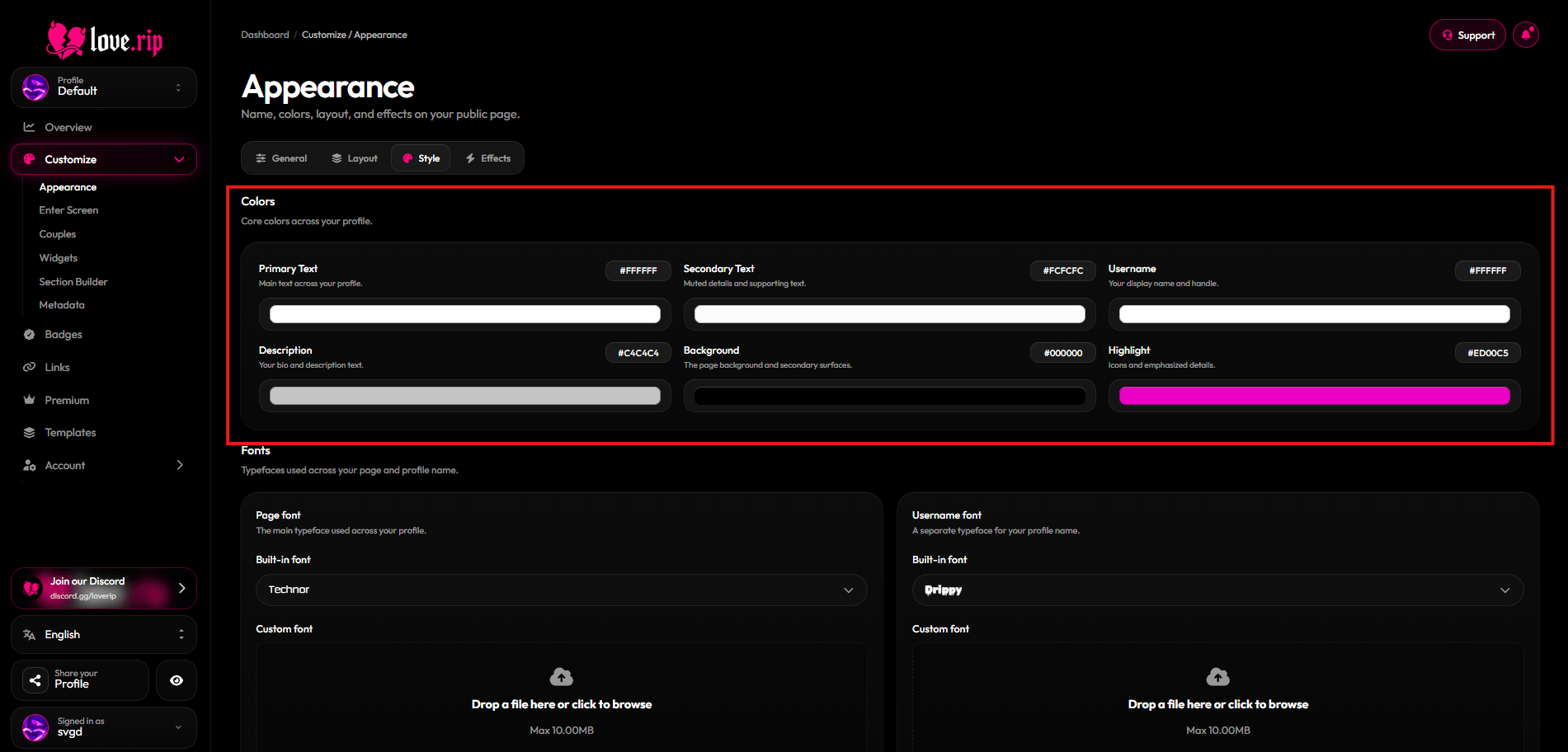
Pick colors for **Text**, **Secondary text**, **Username**, **Description**, **Background**, **Accent**, **Highlight** and **Footer**.
**Where to find it:** Style tab → **Colors**.
## Colors
Pick colors for **Text**, **Secondary text**, **Username**, **Description**, **Background**, **Accent**, **Highlight** and **Footer**.
**Where to find it:** Style tab → **Colors**.
 ## Fonts
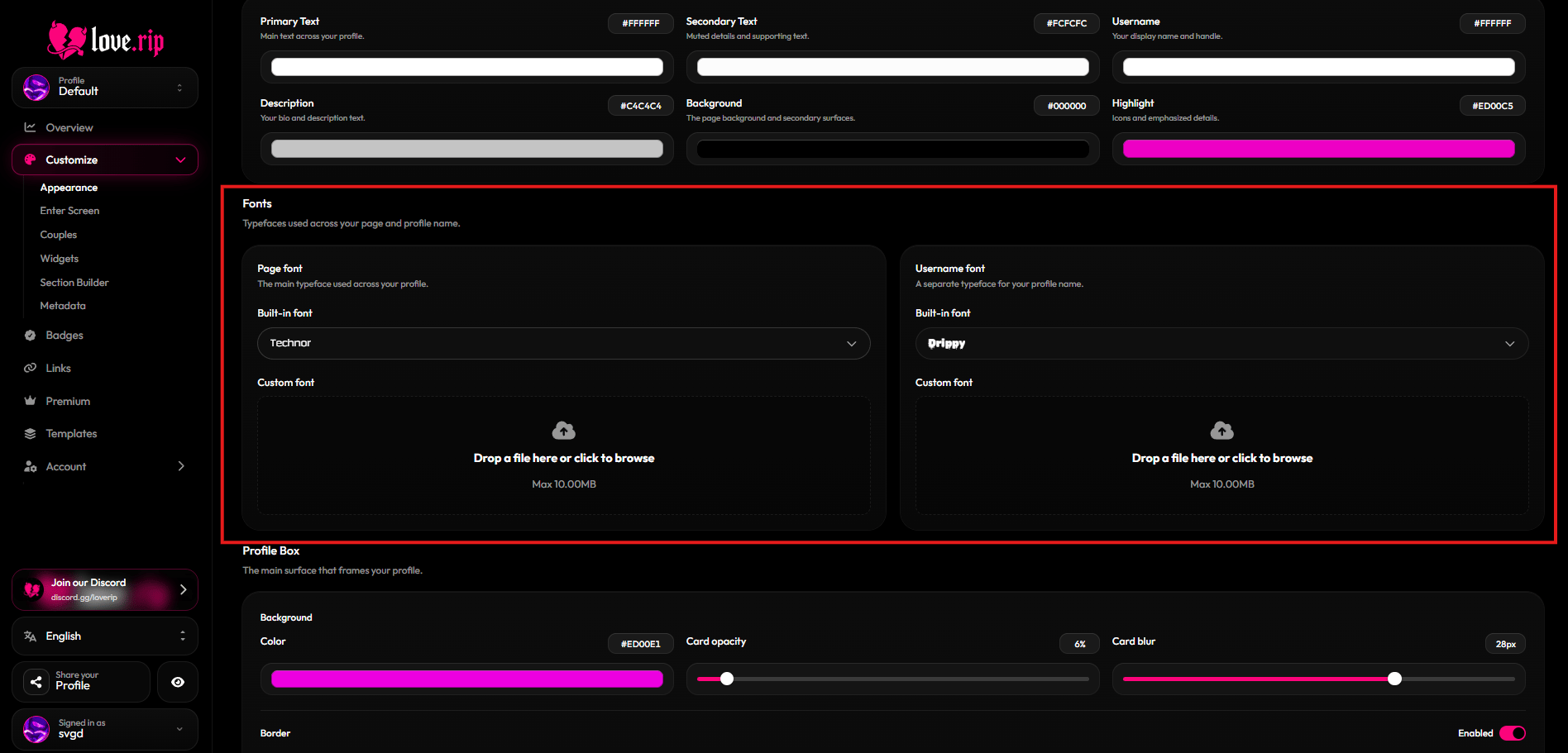
Choose a page font from the built-in list: Satoshi, Fira Code, Poppins, JetBrains Mono, Array, Velocity, Outfit, Silkscreen, Technor, Parkinsans, Chillax, Drippy and Minecraft.
**Where to find it:** Style tab → font settings.
### Custom fonts Premium
Upload your own font for the page and a separate one for your username. Supported files: WOFF2, WOFF, OTF and TTF, up to 10MB.
## Fonts
Choose a page font from the built-in list: Satoshi, Fira Code, Poppins, JetBrains Mono, Array, Velocity, Outfit, Silkscreen, Technor, Parkinsans, Chillax, Drippy and Minecraft.
**Where to find it:** Style tab → font settings.
### Custom fonts Premium
Upload your own font for the page and a separate one for your username. Supported files: WOFF2, WOFF, OTF and TTF, up to 10MB.
 ## Profile box
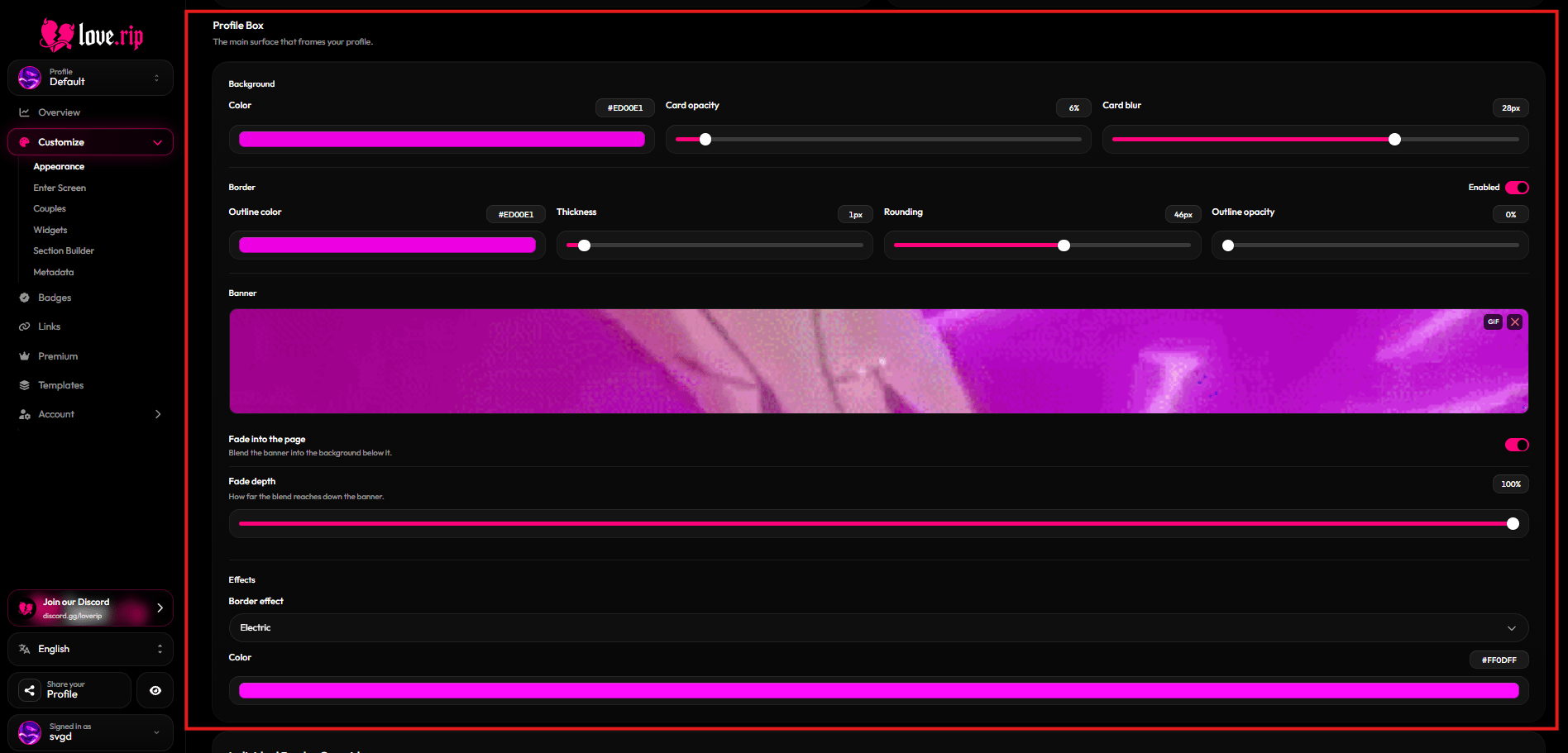
The profile box is the card your profile sits on. Set its color, **Card opacity** (0–100) and **Card blur** (0–40px). You can also add a banner to the top of the box and fade it out.
**Where to find it:** Style tab → **Profile Box**.
### Border
Give the box an outline: **Outline color**, **Thickness** (0–24), **Rounding** (0–80) and **Outline opacity**.
### Moving borders Premium
Animate the border with **Electric**, **Glow**, **Pulse** or **Rainbow**. You can apply the effect to the profile box and to other parts of your page: audio, volume, comments, badges, modules on the card, modules below, About, Skills, Games and media, and Couples.
## Profile box
The profile box is the card your profile sits on. Set its color, **Card opacity** (0–100) and **Card blur** (0–40px). You can also add a banner to the top of the box and fade it out.
**Where to find it:** Style tab → **Profile Box**.
### Border
Give the box an outline: **Outline color**, **Thickness** (0–24), **Rounding** (0–80) and **Outline opacity**.
### Moving borders Premium
Animate the border with **Electric**, **Glow**, **Pulse** or **Rainbow**. You can apply the effect to the profile box and to other parts of your page: audio, volume, comments, badges, modules on the card, modules below, About, Skills, Games and media, and Couples.
 This documentation is built and hosted on [Mintlify](https://mintlify.com), a developer documentation platform.