

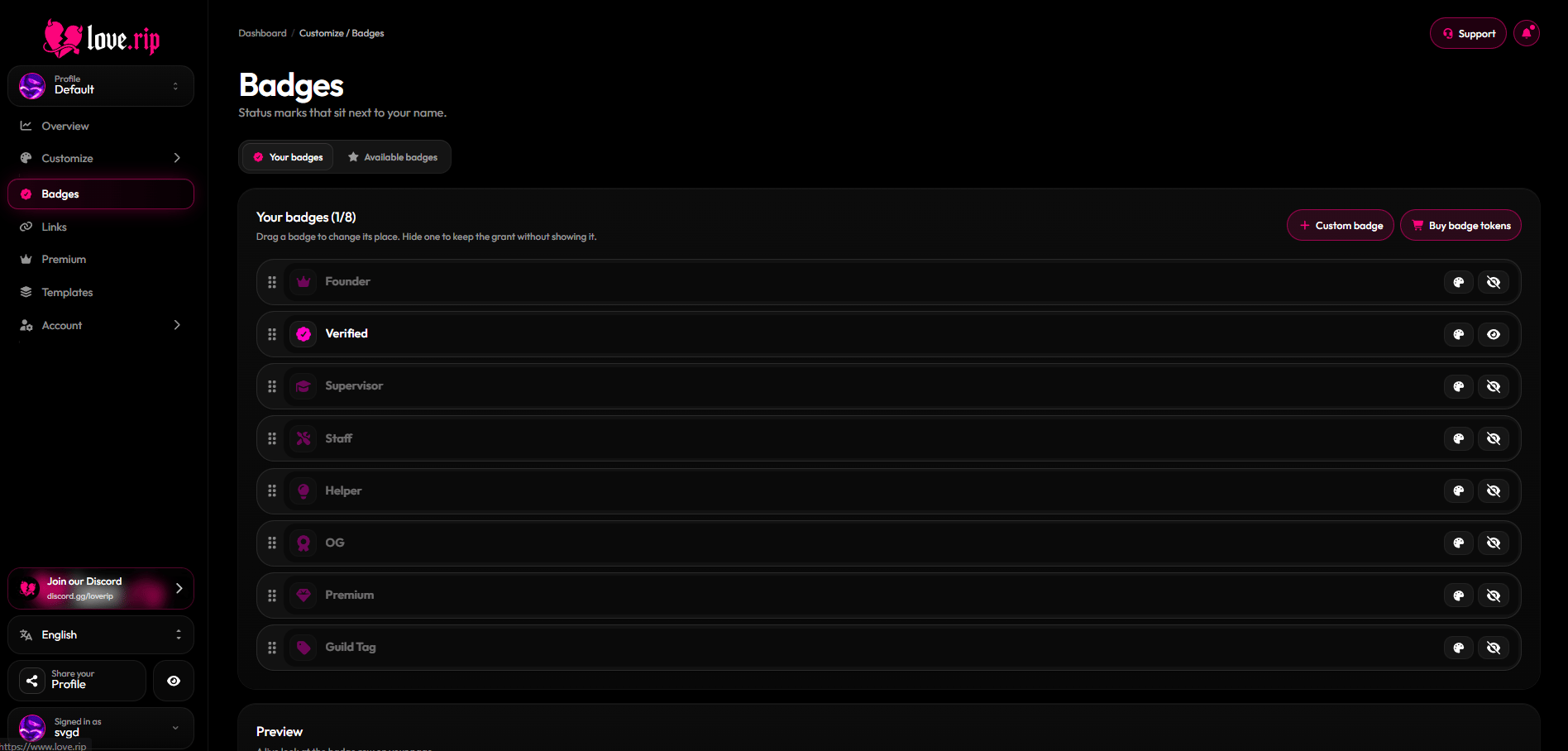
The Badges page
Your badges
The Your badges tab lists every badge you own. Drag to reorder, give each badge its own color, or hide the ones you don’t want shown.Badge styling
- Monochrome: make every badge one color.
- Effects: Glow or Glare.
- Inner border and outer border.
- Animations: move badges back and forth, left to right or right to left. Set the speed, and choose always animate or pause on hover.
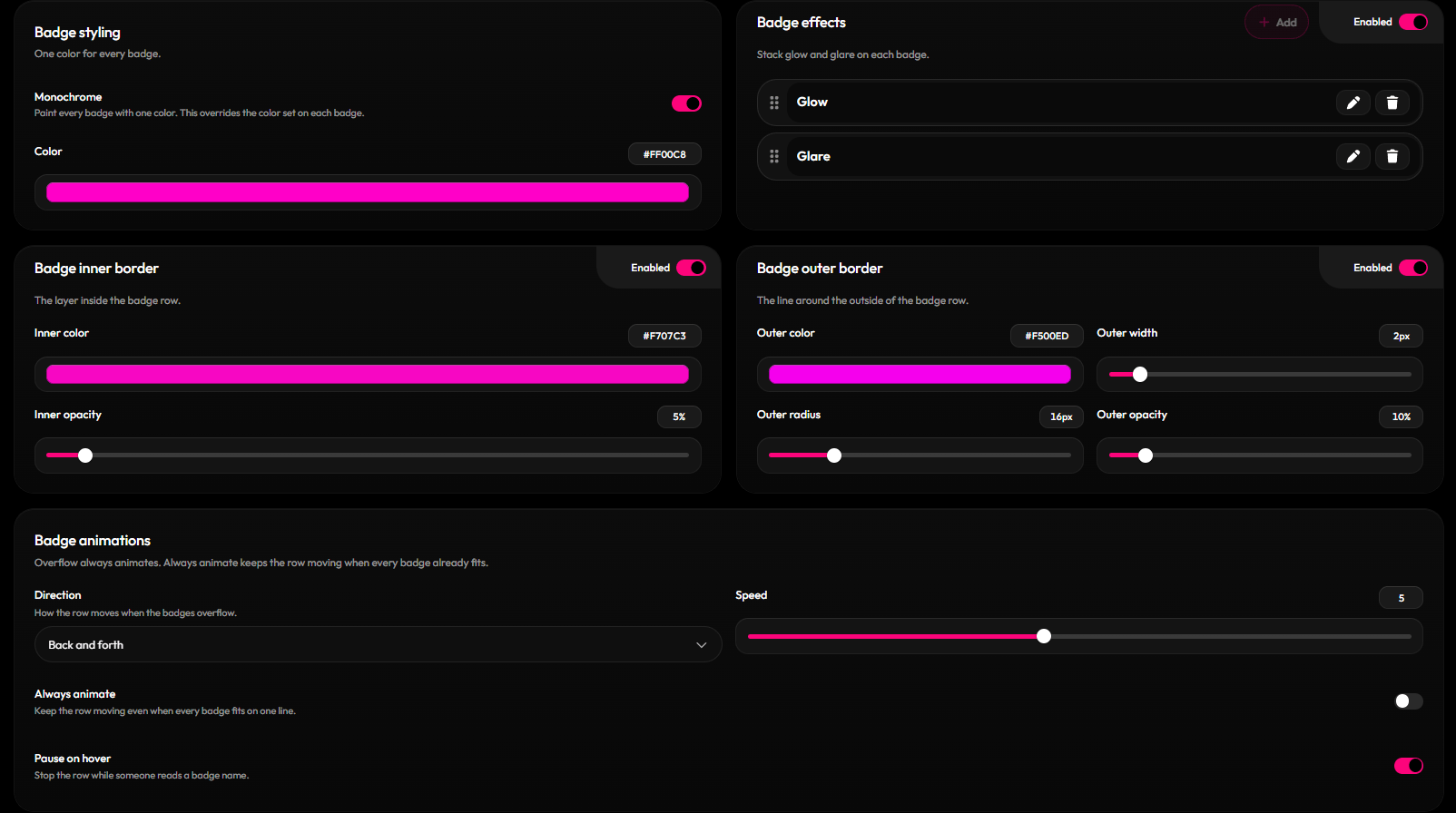
Badge styling and animations
How to get badges
The Available badges tab shows every badge and how to get it.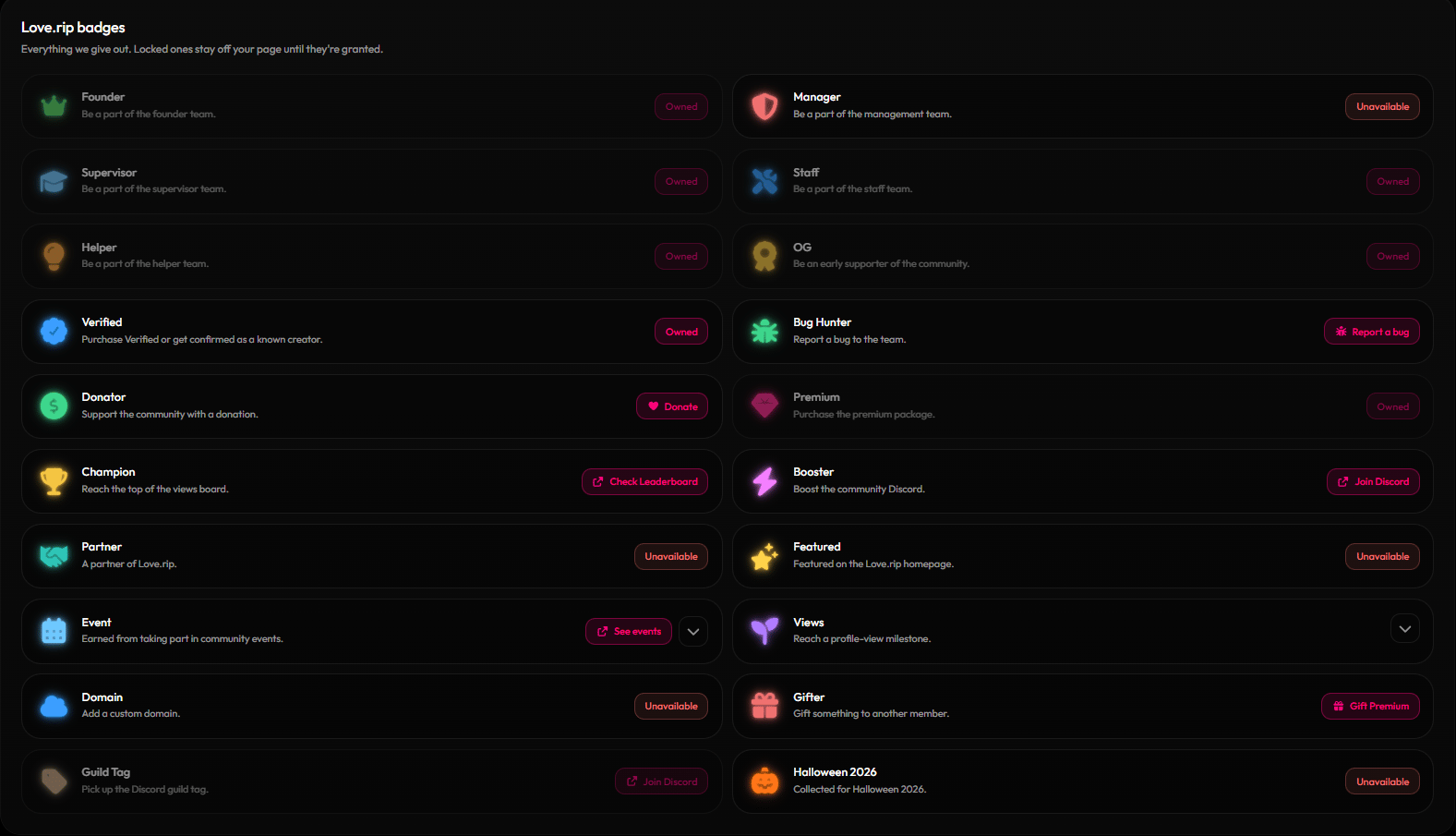
The Available badges tab