
Avatar and decoration
Upload a profile picture, then pick an avatar decoration to frame it. You can hide the avatar with Show avatar and adjust Corner roundness.Avatars can be JPEG, PNG or WebP, up to 2MB.
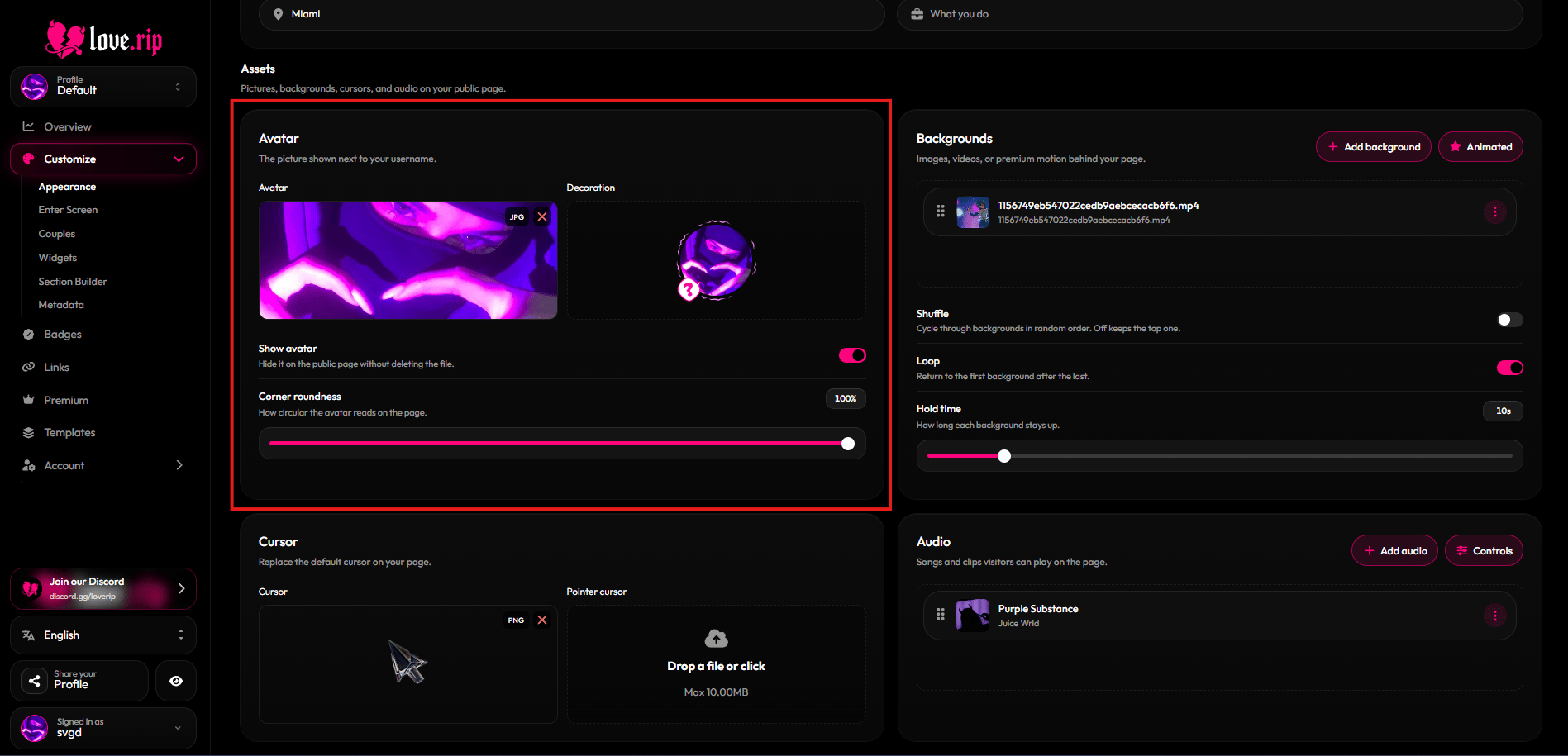
Avatar settings and the decoration picker
Backgrounds
Add an image or video behind your page. With more than one, you can Shuffle them, Loop them and set the Hold time for each. Drag to reorder.Images: JPEG, PNG, WebP or GIF. Videos: MP4 or WebM. Backgrounds can be up to 100MB.
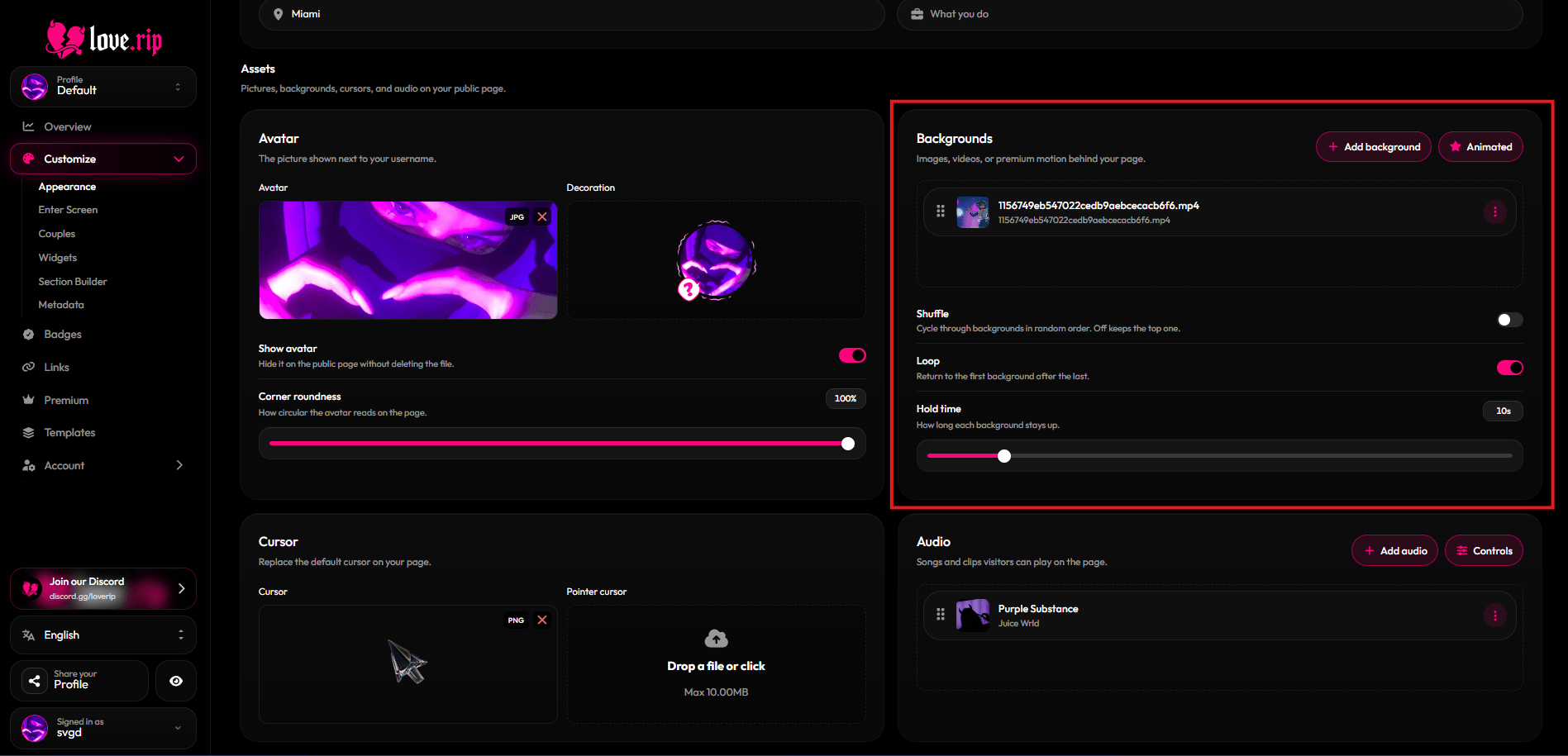
Backgrounds list
Custom cursor
Swap the mouse pointer on your page. Set a normal Cursor and a Pointer cursor for when visitors hover over something clickable.Cursors can be PNG, WebP or GIF.
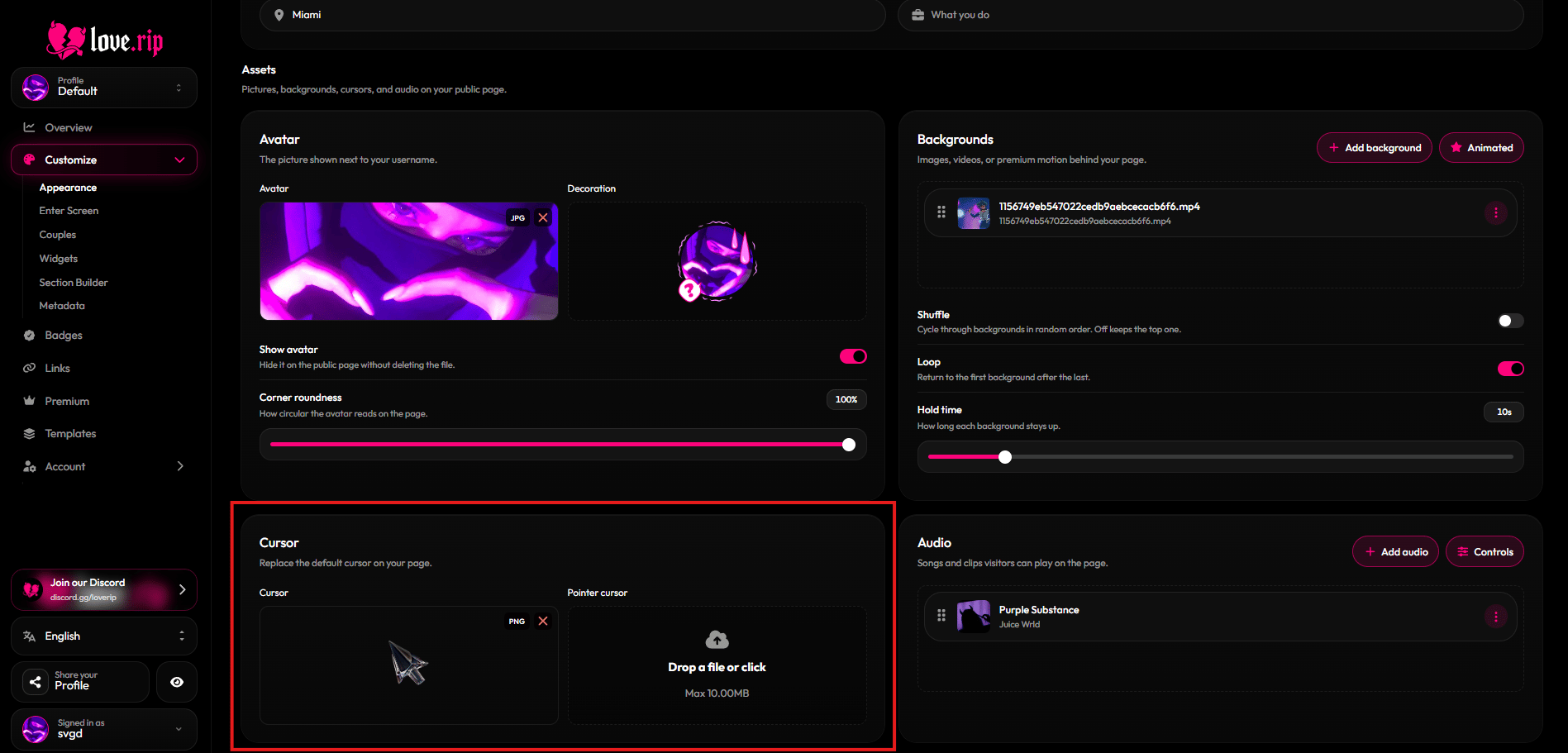
Cursor settings
Music player
Add songs that play on your page. Drag tracks to reorder them.
Player options:
- Player style: Normal or Lyrics (synced lyrics). With Lyrics, pick the Lyrics position (Below or Side) and Lyrics alignment (Left, Center or Right).
- Bar layout: Compact or Wide.
- Cover shape: Rounded square or Circle.
- Blurred cover, Shuffle, Loop, Show player and Volume knob toggles.
- Starting volume.
Audio can be MP3, OGG, WAV or WebM, up to 100MB per file.
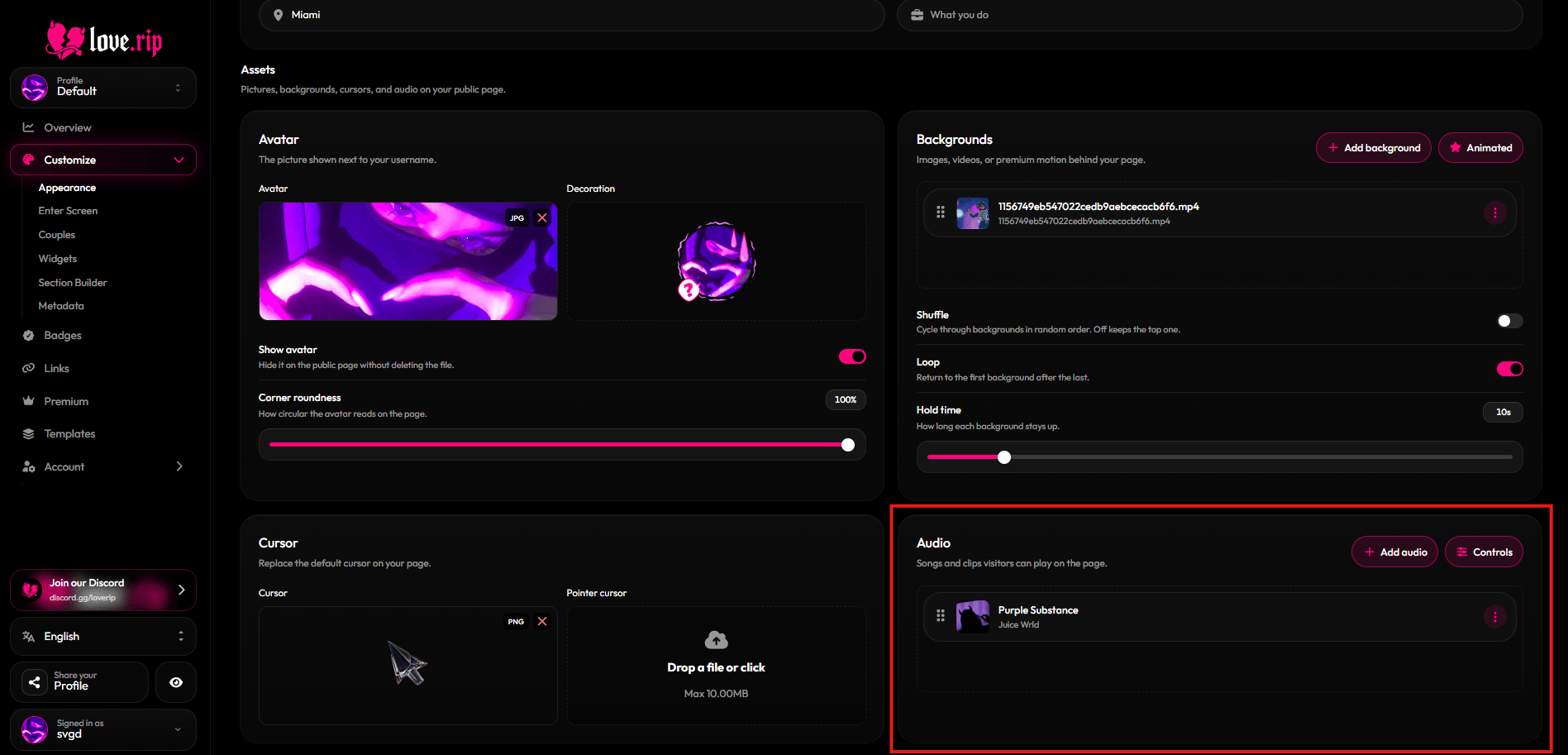
Audio section with player options