

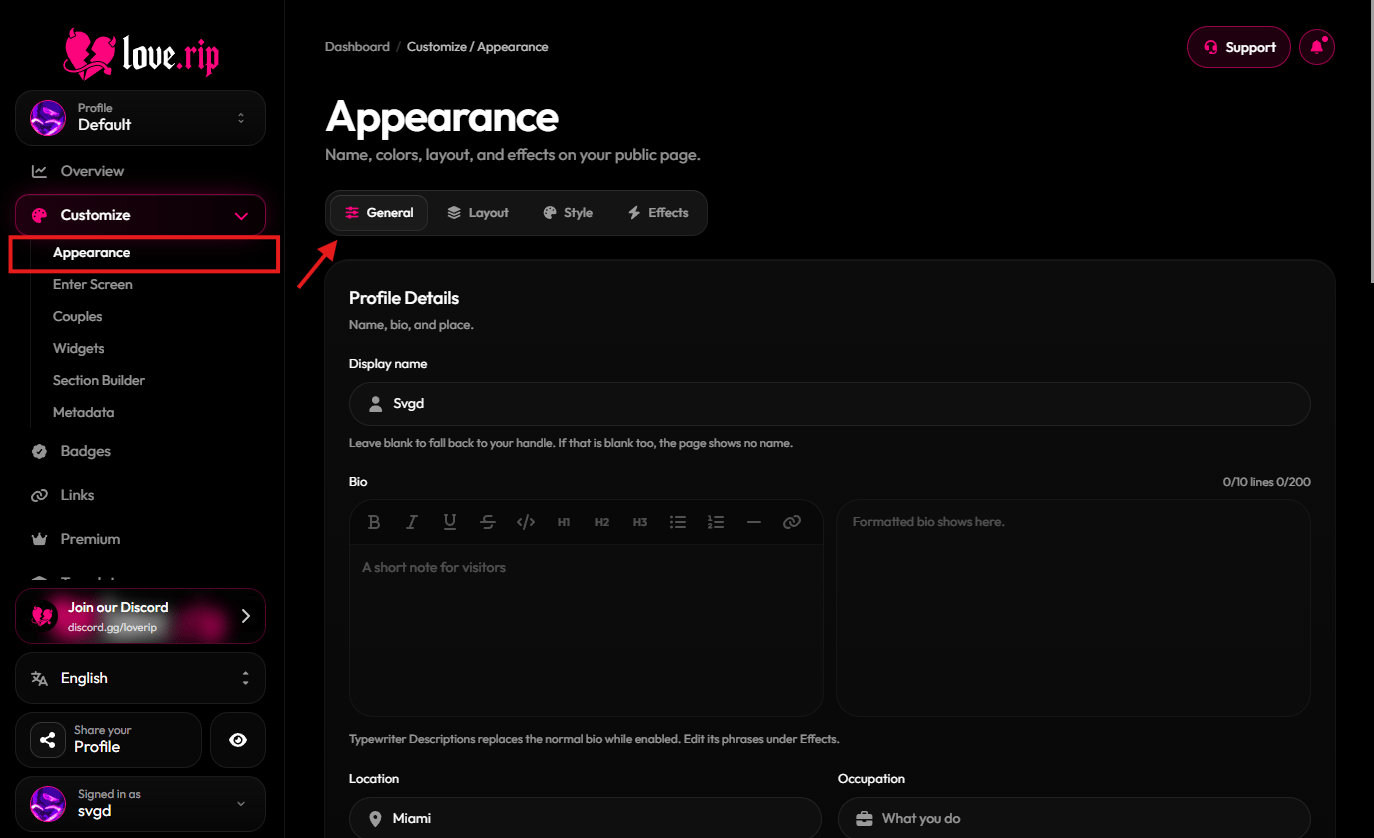
The General tab of Appearance
Display name, bio, location and occupation
Set the name shown on your page, write a short bio, and add where you are and what you do. Your bio can be up to 200 characters and 10 lines. Occupation can be up to 80 characters. Where to find it: General tab → Profile Details.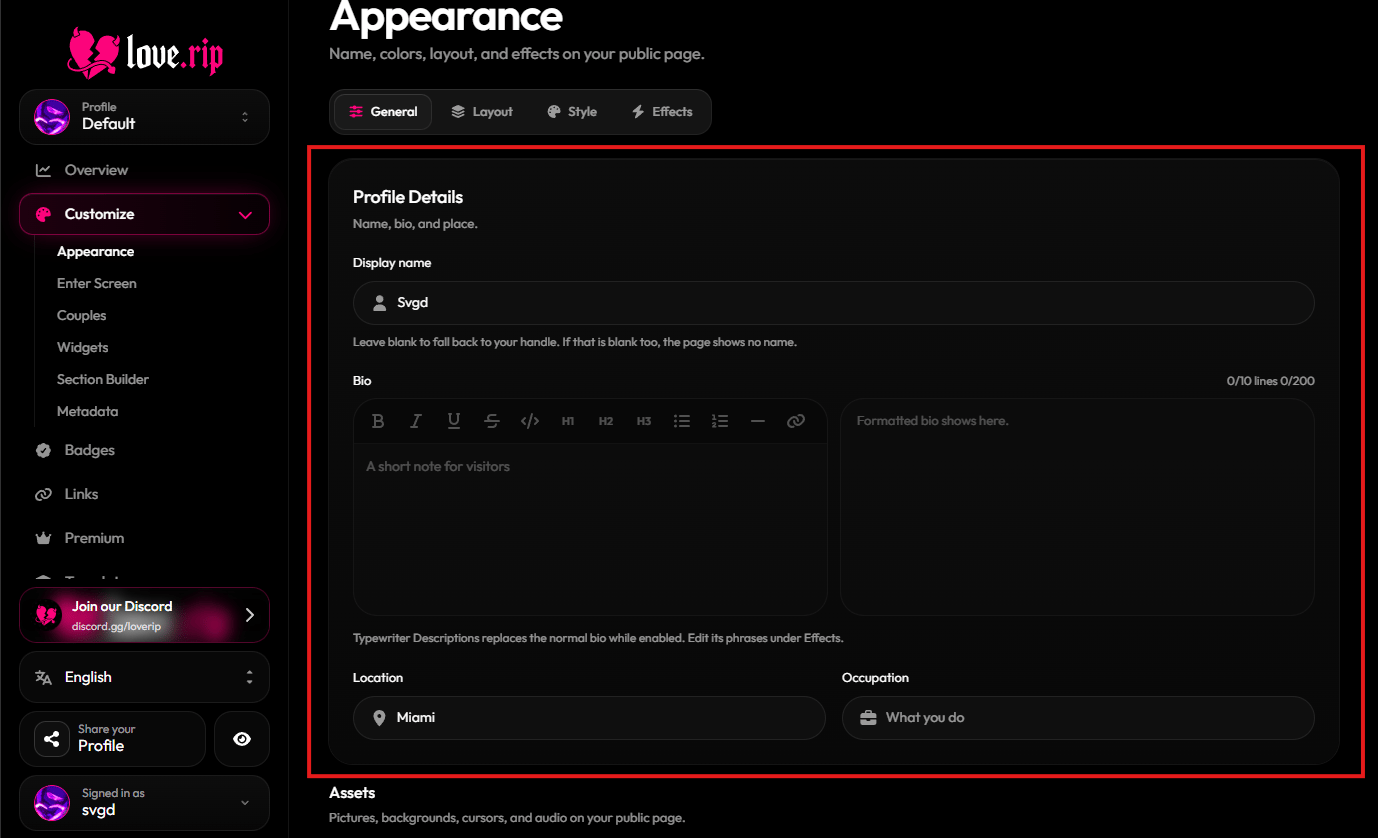
Profile Details fields
Joined date
Show when your account was created. Pick how it reads: Full date, Time since or Year only. Where to find it: General tab → Profile Controls → Joined.View counter
Show your view count on your page. Turn on Count-up to make the number roll up with a short animation, and set how long it runs. Where to find it: General tab → Profile Controls → Views.Comments
Let visitors leave comments on your page. Turning comments off hides the thread but keeps the comments already saved. Turn on Match page type to make comments use your page’s font. Where to find it: General tab → Profile Controls → Comments.Likes and dislikes
Visitors can like or dislike your page. Choose Show feedback publicly, and Show count next to the buttons to put the numbers beside the icons instead of only in the tooltip. Where to find it: General tab → Profile Controls → Likes.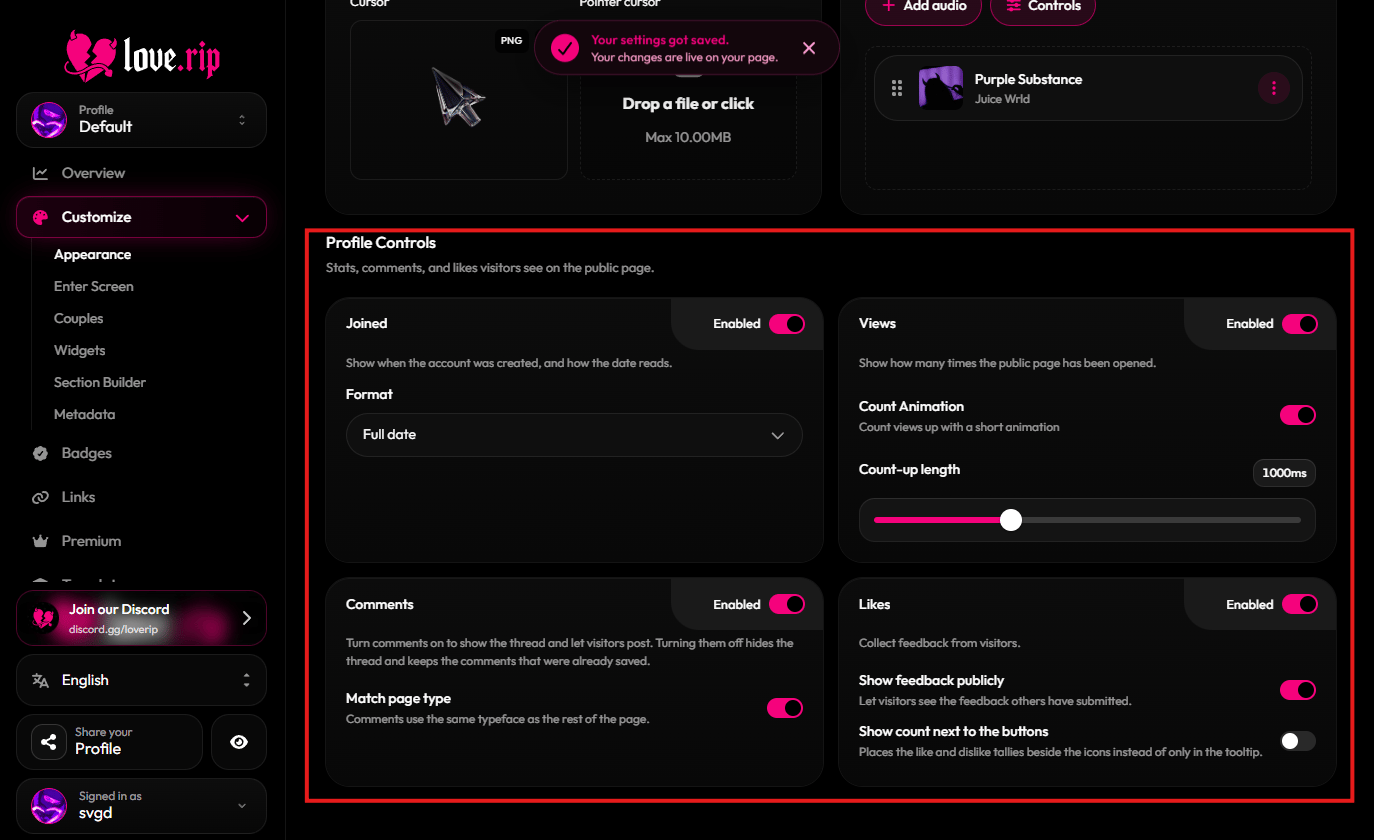
Profile Controls